Usage and quota
See task usage and remaining agent quota at any time
When an agent runs out of quota, a long task stops halfway. OpenTandem shows the remaining quota and reset times for each account where you pick an agent, and tracks token usage in each task’s details, so you can decide before assigning the work.
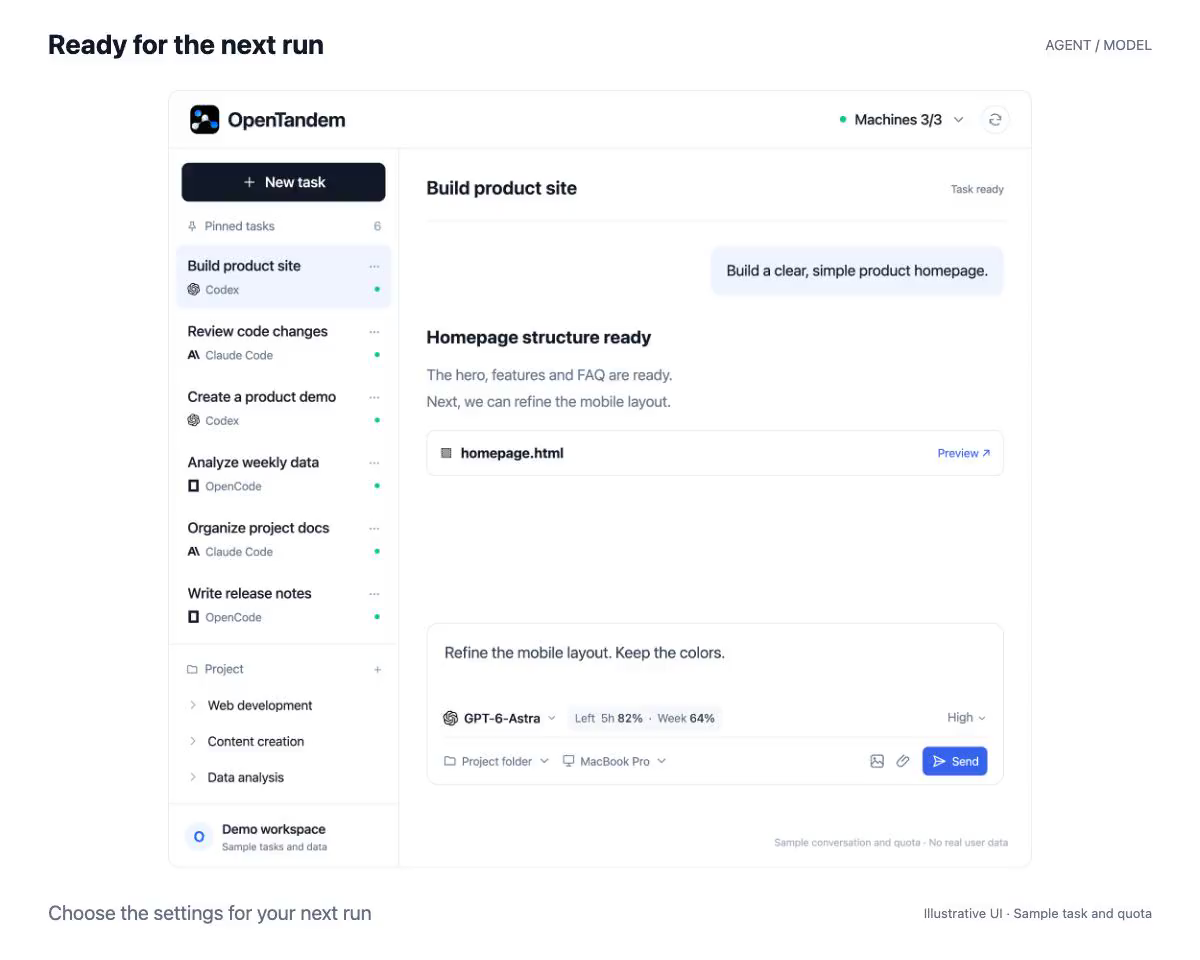
Remaining quota shown when you pick an agent
When you choose an agent and model, the selector shows how much of the 5-hour and weekly windows is left for that account. Machine details also list the reset time for each window and when the data was collected, so there is no need to check each provider’s dashboard.
Color warnings as the limit approaches
Usage above 75% is shown in orange and above 90% in red, so you can switch to another agent or wait for the reset before starting a long task.
Token usage for each task
Task details show total input and output tokens, the number of runs, and the status of the latest run, along with an estimate of the current context size. This helps you judge what a task has consumed and whether its context needs compacting.
How to get started
- Sign in to Claude Code, Codex, or OpenCode Go on the machine.
- The Runner reads the local sign-in and reports quota with each heartbeat.
- Check remaining quota when choosing an agent, and open task details to see the task’s usage.